|
By: Paul S Cilwa |
Posted: 4/10/2026 |
|
Page Views: 22 |
| Hashtags: #Namtira #VisualBasic #VBNET #ClassLibrary #NamtiraLib #SuperColors #Color #HSL #HSV #HCL #Contrast |
| Extension methods and structures for color conversion, manipulation, blending, and accessibility-focused contrast helpers. |
| Estimated reading time: 11 minute(s) (2527 words) |

| Structure HslColor |
|---|
| Member | Parameters | Example |
|---|
| New | hue, sat, light As Double | New HslColor(210, 0.65, 0.45) |
| H, S, L | — | hsl.H → hue in degrees |
| ToString | — | hsl.ToString → "HSL(H=210°, ...)" |
| Structure HsvColor |
|---|
| New | hue, sat, value As Double | New HsvColor(120, 0.7, 0.9) |
| H, S, V | — | hsv.V → brightness |
| ToString | — | hsv.ToString |
| Structure HclColor |
|---|
| New | hue, chroma, lightness As Double | New HclColor(30, 45, 60) |
| H, C, L | — | hcl.L → CIELAB L* [0..100] |
| ToString | — | hcl.ToString |
| Module SuperColors—Conversions |
|---|
| ToHSL | (extends Color) | myColor.ToHSL |
| ToHSV | (extends Color) | myColor.ToHSV |
| ToHCL | (extends Color) | myColor.ToHCL |
| FromHSL | hsl As HslColor, alpha As Integer? (opt) | FromHSL(hsl, 128) |
| FromHSV | hsv As HsvColor, alpha As Integer? (opt) | FromHSV(hsv) |
| FromHCL | hcl As HclColor, alpha As Integer? (opt) | FromHCL(hcl) |
| Module SuperColors—Adjustments |
|---|
| Adjust | percent As Double (extends Color) | c.Adjust(25) → lighter |
| Lighten | amount As Double (extends Color) | c.Lighten(0.25) |
| Darken | amount As Double (extends Color) | c.Darken(0.2) |
| RotateHue | degrees As Double (extends Color) | c.RotateHue(180) |
| Saturate | amount As Double (extends Color) | c.Saturate(0.15) |
| Desaturate | amount As Double (extends Color) | c.Desaturate(0.35) |
| WithAlpha | alpha As Integer (extends Color) | c.WithAlpha(128) |
| Module SuperColors—Blending & Transforms |
|---|
| Blend | other As Color, t As Double (extends Color) | red.Blend(blue, 0.5) |
| Invert | (extends Color) | c.Invert |
| ToGrayscale | (extends Color) | c.ToGrayscale |
| Module SuperColors—Accessibility |
|---|
| RelativeLuminance | (extends Color) | bg.RelativeLuminance |
| ContrastRatio | other As Color (extends Color) | text.ContrastRatio(bg) |
| BestForeground | dark, light As Color? (opt, extends Color) | bg.BestForeground |
| MakeReadable | background As Color, minContrast (opt), maxIterations (opt) (extends Color) | text.MakeReadable(bg) |
| Module SuperColors—Hex |
|---|
| ToHex | includeAlpha As Boolean (opt, extends Color) | c.ToHex → "#3498DB" |
| FromHex | hex As String | FromHex("#09F") |
Option Strict On
Option Explicit On
Imports System
Imports System.Drawing
Imports System.Globalization
Imports System.Runtime.CompilerServices
Color-Space Structures
Three value types represent colors in alternative spaces. Each
normalizes its inputs on construction so downstream code can assume
valid ranges.
HslColor
Stores Hue (degrees), Saturation, and Lightness. HSL is well suited
to UI theming because you can reason about lightness directly instead
of manually juggling RGB channels.
Public Structure HslColor
Public ReadOnly H As Double ' degrees [0, 360)
Public ReadOnly S As Double ' [0, 1]
Public ReadOnly L As Double ' [0, 1]
Public Sub New(hue As Double, sat As Double, light As Double)
H = ColorMath.NormalizeHue(hue)
S = ColorMath.Clamp01(sat)
L = ColorMath.Clamp01(light)
End Sub
Public Overrides Function ToString() As String
Return $"HSL(H={H:0.##}°, S={S:0.###}, L={L:0.###})"
End Function
End Structure
HsvColor
Stores Hue, Saturation, and Value. HSV is often a better mental model
for tasks where you want to keep brightness constant while varying
saturation.
Public Structure HsvColor
Public ReadOnly H As Double ' degrees [0, 360)
Public ReadOnly S As Double ' [0, 1]
Public ReadOnly V As Double ' [0, 1]
Public Sub New(hue As Double, sat As Double, value As Double)
H = ColorMath.NormalizeHue(hue)
S = ColorMath.Clamp01(sat)
V = ColorMath.Clamp01(value)
End Sub
Public Overrides Function ToString() As String
Return $"HSV(H={H:0.##}°, S={S:0.###}, V={V:0.###})"
End Function
End Structure
HclColor
Stores Hue, Chroma, and Lightness based on CIELAB L*. Because its
lightness component is perceptual, equal steps in L* feel visually
consistent—making HCL ideal for generating balanced palettes.
Public Structure HclColor
Public ReadOnly H As Double ' degrees [0, 360)
Public ReadOnly C As Double ' Chroma (roughly 0..~150 for sRGB)
Public ReadOnly L As Double ' Lightness (CIELAB L*) [0..100]
Public Sub New(hue As Double, chroma As Double, lightness As Double)
H = ColorMath.NormalizeHue(hue)
C = Math.Max(0.0, chroma)
L = Math.Max(0.0, Math.Min(100.0, lightness))
End Sub
Public Overrides Function ToString() As String
Return $"HCL(H={H:0.##}°, C={C:0.###}, L={L:0.###})"
End Function
End Structure
Conversions
Extension methods on Color convert to each of the three
spaces, and companion module functions convert back. Each
From… function accepts an optional alpha value (defaulting
to fully opaque).
Public Module SuperColors
<Extension>
Public Function ToHSL(c As Color) As HslColor
Dim h As Double, s As Double, l As Double
ColorMath.RgbToHsl(c, h, s, l)
Return New HslColor(h, s, l)
End Function
<Extension>
Public Function ToHSV(c As Color) As HsvColor
Dim h As Double, s As Double, v As Double
ColorMath.RgbToHsv(c, h, s, v)
Return New HsvColor(h, s, v)
End Function
<Extension>
Public Function ToHCL(c As Color) As HclColor
Dim lch = ColorMath.RgbToLch(c)
Return New HclColor(lch.h, lch.c, lch.l)
End Function
Public Function FromHSL(hsl As HslColor,
Optional alpha As Integer? = Nothing) As Color
Dim a As Integer = If(alpha.HasValue, ColorMath.ClampByte(alpha.Value), 255)
Dim rgb = ColorMath.HslToRgb(hsl.H, hsl.S, hsl.L)
Return Color.FromArgb(a, rgb.R, rgb.G, rgb.B)
End Function
Public Function FromHSV(hsv As HsvColor,
Optional alpha As Integer? = Nothing) As Color
Dim a As Integer = If(alpha.HasValue, ColorMath.ClampByte(alpha.Value), 255)
Dim rgb = ColorMath.HsvToRgb(hsv.H, hsv.S, hsv.V)
Return Color.FromArgb(a, rgb.R, rgb.G, rgb.B)
End Function
Public Function FromHCL(hcl As HclColor,
Optional alpha As Integer? = Nothing) As Color
Dim a As Integer = If(alpha.HasValue, ColorMath.ClampByte(alpha.Value), 255)
Dim rgb = ColorMath.LchToRgb(hcl.L, hcl.C, hcl.H)
Return Color.FromArgb(a, rgb.R, rgb.G, rgb.B)
End Function
A typical round-trip looks like this: convert to HSL, tweak
lightness, then convert back.
Dim c As Color = Color.CornflowerBlue
Dim hsl As HslColor = c.ToHSL()
Dim lighter As Color = SuperColors.FromHSL(New HslColor(hsl.H, hsl.S, 0.8), c.A)
Adjustments
These extensions modify a single dimension of a color—lightness,
hue, or saturation—while leaving the others unchanged. All of them
work in HSL space internally.
Adjust
Shifts lightness based on a percentage. Values below 50 lighten;
values above 50 darken; 50 leaves the color unchanged.
<Extension>
Public Function Adjust(c As Color, percent As Double) As Color
Dim h As Double, s As Double, l As Double
ColorMath.RgbToHsl(c, h, s, l)
Dim p As Double = percent / 100.0
Dim newL As Double
If p < 0.5 Then
Dim t As Double = p / 0.5
newL = l + (1 - l) * (1 - t)
ElseIf p > 0.5 Then
Dim t As Double = (p - 0.5) / 0.5
newL = l * (1 - t)
Else
newL = l
End If
Dim rgb = ColorMath.HslToRgb(h, s, ColorMath.Clamp01(newL))
Return Color.FromArgb(c.A, rgb.R, rgb.G, rgb.B)
End Function
Lighten / Darken
Lighten moves lightness toward white; Darken moves it
toward black. The amount parameter is clamped to
[0, 1].
<Extension>
Public Function Lighten(c As Color, amount As Double) As Color
Dim hsl = c.ToHSL()
Dim newL = hsl.L + (1 - hsl.L) * ColorMath.Clamp01(amount)
Return FromHSL(New HslColor(hsl.H, hsl.S, newL), c.A)
End Function
<Extension>
Public Function Darken(c As Color, amount As Double) As Color
Dim hsl = c.ToHSL()
Dim newL = hsl.L * (1 - ColorMath.Clamp01(amount))
Return FromHSL(New HslColor(hsl.H, hsl.S, newL), c.A)
End Function
RotateHue
Rotates hue while keeping saturation and lightness stable—handy
for deriving complementary or triadic accents from a single brand color.
<Extension>
Public Function RotateHue(c As Color, degrees As Double) As Color
Dim hsl = c.ToHSL()
Return FromHSL(New HslColor(hsl.H + degrees, hsl.S, hsl.L), c.A)
End Function
Saturate / Desaturate
Saturate increases HSL saturation by the given amount;
Desaturate delegates to Saturate with a negated value,
keeping the clamping behavior consistent.
<Extension>
Public Function Saturate(c As Color, amount As Double) As Color
Dim hsl = c.ToHSL()
Dim newS = ColorMath.Clamp01(hsl.S + amount)
Return FromHSL(New HslColor(hsl.H, newS, hsl.L), c.A)
End Function
<Extension>
Public Function Desaturate(c As Color, amount As Double) As Color
Return c.Saturate(-Math.Abs(amount))
End Function
WithAlpha
Returns a new Color with the same RGB channels but a
different alpha. Useful for translucent overlays, selection rings, and
focus indicators.
<Extension>
Public Function WithAlpha(c As Color, alpha As Integer) As Color
Return Color.FromArgb(ColorMath.ClampByte(alpha), c.R, c.G, c.B)
End Function
Blending and Transforms
Blend
Linearly interpolates all four channels (including alpha) between two
colors. The parameter t is clamped to
[0, 1], so out-of-range values won't break the output.
<Extension>
Public Function Blend(c As Color, other As Color, t As Double) As Color
Dim x = ColorMath.Clamp01(t)
Dim a = CInt(Math.Round(c.A + (other.A - c.A) * x))
Dim r = CInt(Math.Round(c.R + (other.R - c.R) * x))
Dim g = CInt(Math.Round(c.G + (other.G - c.G) * x))
Dim b = CInt(Math.Round(c.B + (other.B - c.B) * x))
Return Color.FromArgb(ColorMath.ClampByte(a),
ColorMath.ClampByte(r),
ColorMath.ClampByte(g),
ColorMath.ClampByte(b))
End Function
Invert
Flips each RGB channel (255 − channel) while
preserving alpha.
<Extension>
Public Function Invert(c As Color) As Color
Return Color.FromArgb(c.A, 255 - c.R, 255 - c.G, 255 - c.B)
End Function
ToGrayscale
Converts to grayscale using Rec. 709 luma coefficients, which
correlate better with perceived brightness than a naive channel average.
<Extension>
Public Function ToGrayscale(c As Color) As Color
Dim y = CInt(Math.Round(0.2126 * c.R + 0.7152 * c.G + 0.0722 * c.B))
Dim v = ColorMath.ClampByte(y)
Return Color.FromArgb(c.A, v, v, v)
End Function
Accessibility and Contrast
RelativeLuminance
Computes the WCAG relative luminance of a color by linearizing sRGB
values first. This is the building block for contrast calculations.
<Extension>
Public Function RelativeLuminance(c As Color) As Double
Return ColorMath.RelativeLuminance(c)
End Function
ContrastRatio
Returns the WCAG contrast ratio between two colors (always
≥ 1). A ratio of 4.5 or above is the threshold for normal-size
text; 3.0 suffices for large text.
<Extension>
Public Function ContrastRatio(c As Color, other As Color) As Double
Dim l1 = c.RelativeLuminance()
Dim l2 = other.RelativeLuminance()
Dim hi = Math.Max(l1, l2)
Dim lo = Math.Min(l1, l2)
Return (hi + 0.05) / (lo + 0.05)
End Function
BestForeground
Given a background, chooses whichever of two candidate foreground
colors (defaulting to black and white) provides the higher contrast
ratio.
<Extension>
Public Function BestForeground(background As Color,
Optional dark As Color? = Nothing,
Optional light As Color? = Nothing) As Color
Dim darkC = If(dark.HasValue, dark.Value, Color.Black)
Dim lightC = If(light.HasValue, light.Value, Color.White)
Dim cDark = background.ContrastRatio(darkC)
Dim cLight = background.ContrastRatio(lightC)
Return If(cDark >= cLight, darkC, lightC)
End Function
MakeReadable
The most sophisticated helper in the module. Given a text color and a
background, it shifts the text color's HSL lightness until the contrast
ratio reaches a minimum threshold (defaulting to the WCAG AA value of
4.5). If the original color already meets the threshold, it is returned
unchanged. If shifting lightness in both directions fails, the method
falls back to black or white.
Semi-transparent text is composited over the background before each
contrast check, so the measurement reflects what will actually be drawn.
<Extension>
Public Function MakeReadable(textColor As Color,
background As Color,
Optional minContrast As Double = 4.5,
Optional maxIterations As Integer = 48) As Color
If minContrast < 1.0 Then minContrast = 1.0
If maxIterations < 1 Then maxIterations = 1
Dim a As Integer = textColor.A
Dim effectiveText As Color =
If(a = 255, textColor, CompositeOver(background, textColor))
Dim best As Color = textColor
Dim bestContrast As Double = effectiveText.ContrastRatio(background)
If bestContrast >= minContrast Then
Return textColor
End If
Dim hsl = textColor.ToHSL()
Dim bgLum As Double = background.RelativeLuminance()
Dim txtLum As Double = effectiveText.RelativeLuminance()
Dim primaryDir As Integer = If(bgLum > txtLum, -1, 1)
Dim stepSize As Double = 1.0 / maxIterations
ImproveByShiftingLightness(hsl, a, background, minContrast,
maxIterations, stepSize, primaryDir,
best, bestContrast)
If bestContrast < minContrast Then
ImproveByShiftingLightness(hsl, a, background, minContrast,
maxIterations, stepSize, -primaryDir,
best, bestContrast)
End If
If bestContrast < minContrast Then
Dim blackText As Color = Color.FromArgb(a, Color.Black)
Dim whiteText As Color = Color.FromArgb(a, Color.White)
Dim effBlack As Color =
If(a = 255, blackText, CompositeOver(background, blackText))
Dim effWhite As Color =
If(a = 255, whiteText, CompositeOver(background, whiteText))
Dim cBlack As Double = effBlack.ContrastRatio(background)
Dim cWhite As Double = effWhite.ContrastRatio(background)
If cBlack >= cWhite AndAlso cBlack > bestContrast Then
best = blackText
ElseIf cWhite > bestContrast Then
best = whiteText
End If
End If
Return best
End Function
The private helpers ImproveByShiftingLightness and
CompositeOver handle the iteration loop and alpha compositing
respectively; they are internal to the module and not called directly.
Hex Serialization
ToHex
Serializes a Color to a CSS-style hex string. Pass
includeAlpha:=True when you need the full
#AARRGGBB form.
<Extension>
Public Function ToHex(c As Color,
Optional includeAlpha As Boolean = False) As String
If includeAlpha Then
Return $"#{c.A:X2}{c.R:X2}{c.G:X2}{c.B:X2}"
End If
Return $"#{c.R:X2}{c.G:X2}{c.B:X2}"
End Function
FromHex
Parses #RGB, #RRGGBB, or
#AARRGGBB (with or without the leading #)
into a Color. Throws a FormatException if the input
doesn't match any of those patterns.
Public Function FromHex(hex As String) As Color
If hex Is Nothing Then Throw New ArgumentNullException(NameOf(hex))
Dim s = hex.Trim()
If s.StartsWith("#"c) Then s = s.Substring(1)
If s.Length = 3 Then
Dim r = Convert.ToInt32(New String(s(0), 2), 16)
Dim g = Convert.ToInt32(New String(s(1), 2), 16)
Dim b = Convert.ToInt32(New String(s(2), 2), 16)
Return Color.FromArgb(255, r, g, b)
ElseIf s.Length = 6 Then
Dim r = Integer.Parse(s.Substring(0, 2), NumberStyles.HexNumber,
CultureInfo.InvariantCulture)
Dim g = Integer.Parse(s.Substring(2, 2), NumberStyles.HexNumber,
CultureInfo.InvariantCulture)
Dim b = Integer.Parse(s.Substring(4, 2), NumberStyles.HexNumber,
CultureInfo.InvariantCulture)
Return Color.FromArgb(255, r, g, b)
ElseIf s.Length = 8 Then
Dim a = Integer.Parse(s.Substring(0, 2), NumberStyles.HexNumber,
CultureInfo.InvariantCulture)
Dim r = Integer.Parse(s.Substring(2, 2), NumberStyles.HexNumber,
CultureInfo.InvariantCulture)
Dim g = Integer.Parse(s.Substring(4, 2), NumberStyles.HexNumber,
CultureInfo.InvariantCulture)
Dim b = Integer.Parse(s.Substring(6, 2), NumberStyles.HexNumber,
CultureInfo.InvariantCulture)
Return Color.FromArgb(a, r, g, b)
End If
Throw New FormatException(
"Invalid hex color. Expected RGB(3), RRGGBB(6), or AARRGGBB(8) hex digits.")
End Function
End Module
The ColorMath Module
All of the heavy lifting—RGB↔HSL, RGB↔HSV,
RGB↔XYZ↔Lab↔LCh conversions, sRGB gamma, and utility
clamps—lives in a Friend Module ColorMath. Because it
is Friend, it is invisible outside the assembly; the public
API surface is entirely the structures and extensions shown above.
Canoodling with Colors
|
By: Paul S Cilwa |
Posted: 4/10/2026 |
|
Page Views: 21 |
| Hashtags: #RGB #HSL #HSV #HCL #ColorSpaces #ColorTheory #AccessibilityContrast #DigitalColorRepresentation |
| A guide to how computers represent, manipulate, and display colors. |
| Estimated reading time: 4 minute(s) (910 words) |
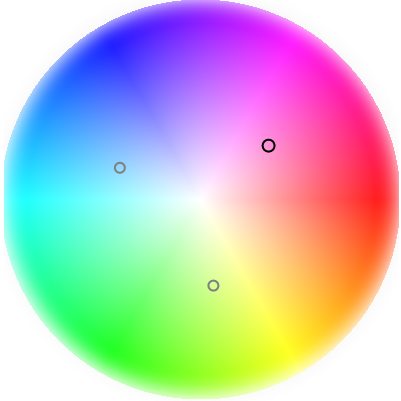
As Walt Disney used to remind us every Sunday, the world is a carousel of color. And,
thanks to high quality color monitors, smartphones, and other devices, so is the Internet.
If you want to create web sites or even boring apps, you still need to know at least the basics
of mathematically-calculated colors: How to create them, compare them; how to lighten, darken
or ensure readability of one against another.