|
|
Posted: 8/1/1998
Updated: 8/28/2017 |
|
Page Views: 3,084 |
| Hashtags: #MIDI #Composition #Music |
| How to compose music using MIDI, the Musical Instrument Digital Interface. |
| Estimated reading time: 7 minute(s) (1513 words) |
Musical Instrument Digital Interface
So: How does one compose music, using a computer as a tool?
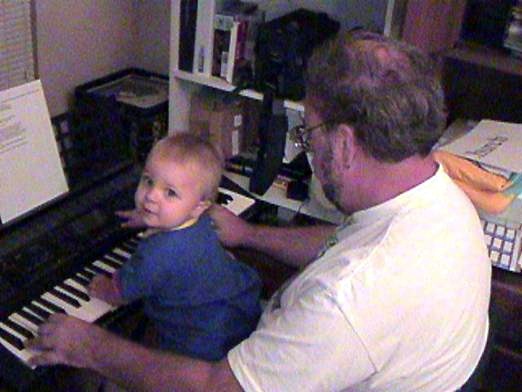
For people who do not prefer traditional keyboards, there are also MIDI
saxophones, MIDI guitars, MIDI flutes, and so on. Each is played like the
traditional instrument on which it's based; however, most of them do not create
sounds acoustically. They must be plugged into a computer or other digital device in order to hear
them.
Record a Composition
The purpose of the MIDI interface is to plug the unit into a computer (or,
less often, into other MIDI devices for reasons I won't go into here). Thus, it
becomes an input device, just like the usual alphanumeric keyboard, to
communicate information to the computer. Just as the regular keyboard is a
natural way of inputting the written word to a computer program, a MIDI device
becomes an intuitive way to input musical performance information. A MIDI device
and a computer then become, at their simplest, the modern equivalent of a player
piano, since the computer can record the original performance and then play it
back through the original device (or another, compatible, MIDI device).
Since I took piano lessons as a kid, the piano keyboard is the most natural
way for me to play music-even though I didn't take a lot of lessons, and can
only play in the key of C. So I bought a Yamaha, and that's what I used as my
primary musical input.
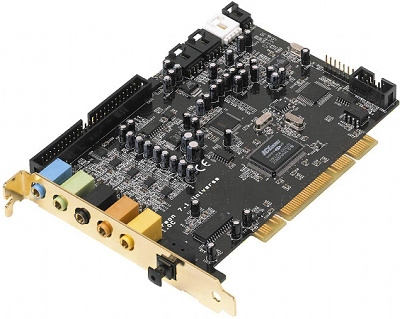
By the way, it is possible to get a MIDI keyboard that cannot produce any sounds; it is also
possible to buy a "sound board" that only produces sounds and must be connected
to a MIDI keyboard (or other MIDI device) if you want to play anything. Most
computers have sound boards built into them, of varying quality.
Now, some keyboards (including mine) have additional capabilities that make
it even easier to generate a professional sound. For example, my keyboard will
let me play simple piano-style chords with the left hand, and it will actually
generate an entire accompaniment in the appropriate chord for me, in a wide
choice of styles: rock, country, waltz, samba, and hundreds more. (There are
actually twenty variants on rock 'n' roll style on my unit.) The accompaniment
includes rhythm, a full drum set, fill (usually strings or horns) and sometimes
even a choir (voicing "oohs" or "ahs"). When the computer is connected via the
MIDI connection, the accompaniment can be transcribed as well as the melody.
Did I mention the melody can, if I wish, have a full four-part harmony
generated in the appropriate chord as I play, and be transcribed as well?
In other words, the keyboard functions as a complete orchestra, composed of musicians who
are not "on the clock", and will do whatever I ask of them, as long as I can ask
in terms of simple chords and melody. And the computer will record the entire
performance (including how hard I hit the keys, which affects how that
instrument sounds).
Arrangements
An alternative to playing the music, is letting a computer program
generate appropriate accompaniment. One such program is
Jammer Pro, which I like very much in spite of its slightly non-standard
Windows interface. I often use it to provide a basic accompaniment, to which I
then add layers from the MIDI keyboard or even by hand.

The next piece of the puzzle is the program running on the computer, to do
the transcribing. The one I use is Cakewalk
Pro. MIDI instructions are very low-level (high C pressed this hard, for
this long, high C released this quickly) and, while Cakewalk allows me to view
them directly, I rarely do so. Instead, I can look at the transcription in
"piano roll" view, in which it appears as a series of "perforations" on a long
sheet of paper, or standard musical staff view. Piano roll view is generally the most
useful to me, since it provides a finer degree
of control than does traditional musical notation—though I sometimes use that,
too.
Each "instrument" sent from the keyboard is placed in a separate channel.
Most MIDI devices are limited to transmitting or receiving 16 discrete channels;
however, Cakewalk allows me to control many MIDI devices at once, with 16
channels for each.
After the original performance has been transcribed, the software allows me
to modify it, just as a word processor like Microsoft Word allows me to edit my
text after my initial inputting of it. I can make any particular note play
louder or softer; start earlier or later; last longer or shorter. I can also
move the note (C to a B#), delete it entirely, or add a new note I didn't
originally play.
After making a change, I would want to hear the result. The software allows
me to play back the (modified) performance-at normal speed, or slowed down or
sped up, if I prefer.
It also allows me to add lyrics, which will appear with the notes in Staff
view, and print, if I want to create sheet music for the song.
So…to take one example, "Don't Think I Can Take This," from my
album, The Man Who Isn't There: I had brought the keyboard with me to New
Jersey when I was teaching a class there. While eating dinner in the restaurant,
some lyrics occurred to me which I jotted onto a napkin. By the time I got to my
room, some of the melody had occurred to me. The actual composing process is the
same as it ever was; I played notes, tried this, tried that, until I found a
tune I liked. I then tried playing it in different styles: light rock, Latin,
strummed guitar, and finally decided it sounded best with a country-style
accompaniment. I practiced it enough so that I could play it consistently.
Then I tried singing the piece. I can only play in the key of C, but if I
need to transpose to another key so that I can sing the melody I made up, the
keyboard can do that, too (as can Cakewalk Pro). I simply tell it how many notes
up or down to transpose, and it does the math, so to speak.

I then plugged the keyboard's MIDI interface into my laptop, and ran Cakewalk. I told Cakewalk
to begin recording, and played the song. That gave me about eight channels of
instrumentation: a simple, basic, arrangement of the song.
The accompaniment is always perfect (as long as I hit the right chords), but
I don't usually play well enough to get a perfect performance of the melody. So,
I corrected whatever notes I didn't play right, so that I ended with a perfect,
basic, arrangement.
My technique is to then sweeten the arrangement by adding more layers of
instrumentation. For example, the basic accompaniment may include strings
(called a "fill") but many songs need a string counter-melody, as well. So I
tell Cakewalk to record a new channel while playing back all the other ones. On
the new channel, I add strings, or a flute, or whatever. And I repeat this
process until the accompaniment is no longer basic: It is a full orchestration
of the song, the way I want it. (This process may take more than a day. I often
tape record the arrangement and play it in the car while I drive, over and over,
to see if I "hear" places where more, or different, notes or instruments would
improve the arrangement or orchestration.
It's also easy to alter the instrumentation without changing the notes. For
example, maybe an English horn doesn't sound right at this point? With a click
of the mouse I can try a French horn in its place, or even a violin or
xylophone. Same notes-held the same time-but with a different sound.
I can also copy part (or all) of a track to another track, letting it play as
a different instrument.
Update
Since I wrote this 20 years ago, all of the software mentioned has been discontinued or changed a lot.
Cakewalk is now the unrecognizable Sonar; Jammer Pro's website is mostly down and has been for years.
The principles of composition remain the same, however.